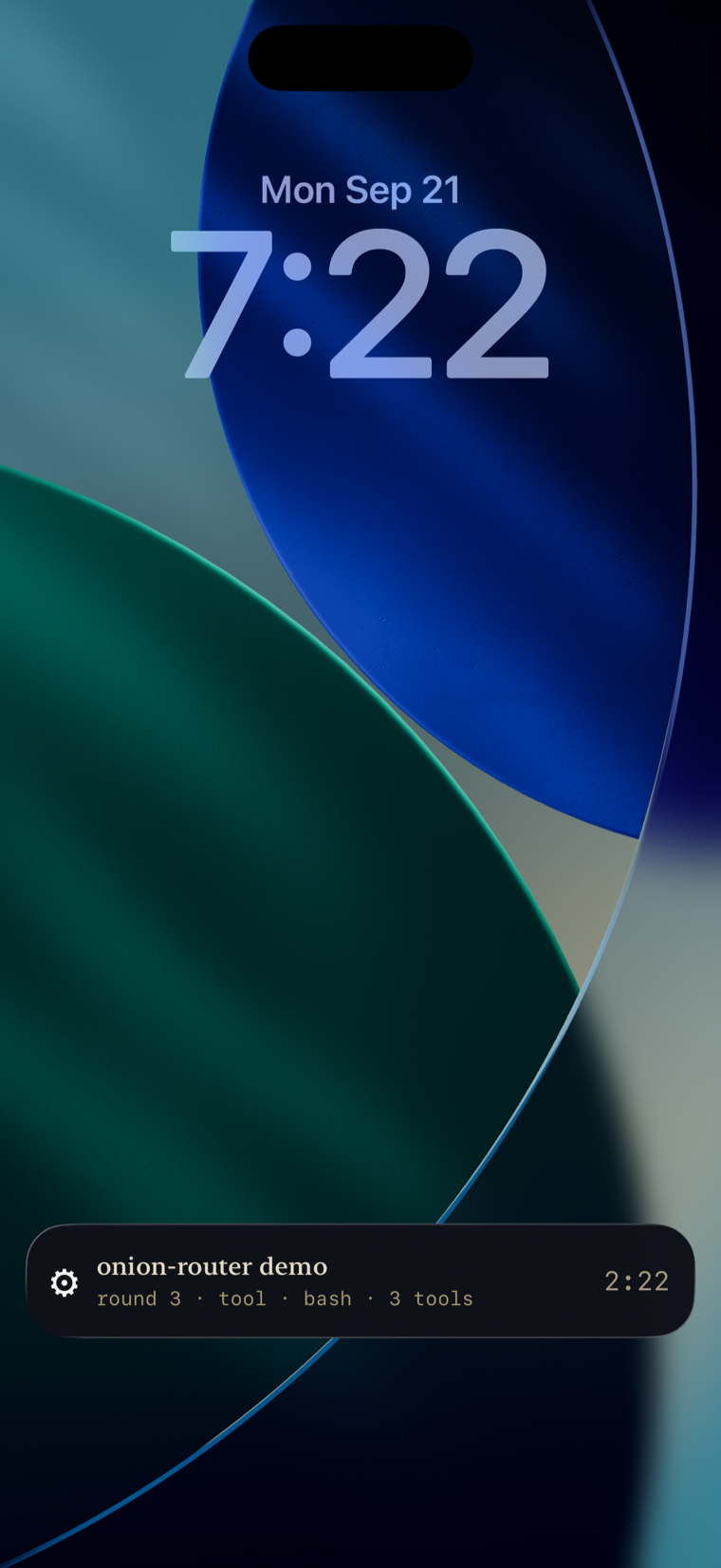
A coding run, live on your lock screen — round, tool and elapsed time, no unlock required.
The cockpit, in your pocket.
A native SwiftUI client for the same Prometheus daemon your desktop already pairs with. No separate account, no separate backend — pair it once and it becomes sessions, chat, approvals and a live status view, plus a lock-screen look at a run in progress.
Status: v0.1 — same daemon, same control plane, smaller screen.
The agent harness. Stands alone on your hardware.
The desktop cockpit. Sits on Prometheus.
The cockpit in your pocket. Same daemon, same control plane.
A coding run, live on your lock screen — round, tool and elapsed time, no unlock required.
Beacon Desktop is where you drive; Beacon iOS is where you get told. It isn’t a smaller copy of the desktop app — it’s a different relationship with the same daemon, built around three things only a phone in your pocket can do.
Search, and three filters — All, Unread, Voice. Sessions group by Pinned, Today and Earlier — the same day-boundary grouping Desktop uses, so “Today” means today even close to midnight. A two-letter badge on each row says where a session came from: a coding run kicked off from the phone itself, a thread from Beacon Desktop, a conversation that started in Telegram — one list, whichever surface you used.
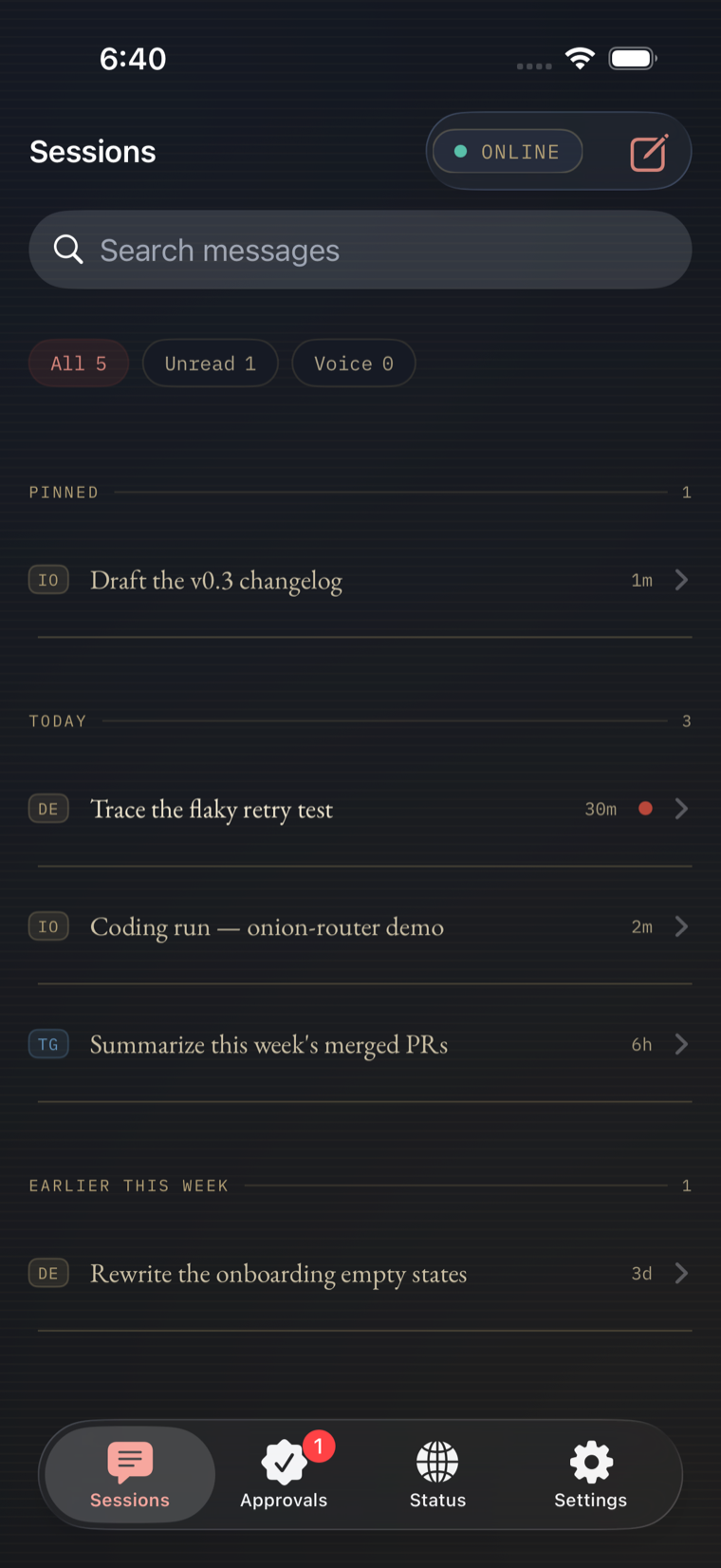
Sessions — pinned, grouped by day, tagged by source.
Replies render as markdown — headings, bold, lists — with a composer that shows the active model, an Agent | Chat toggle, and a context reading that says ctx ? no reading yet rather than guess at a number it doesn’t have. In this thread the agent offers to open a draft in Documents so the wording can be tweaked before it ships — Documents has no tab on the phone, but chat isn’t limited to screens the phone happens to render. It’s the same daemon and the same toolset Desktop uses.
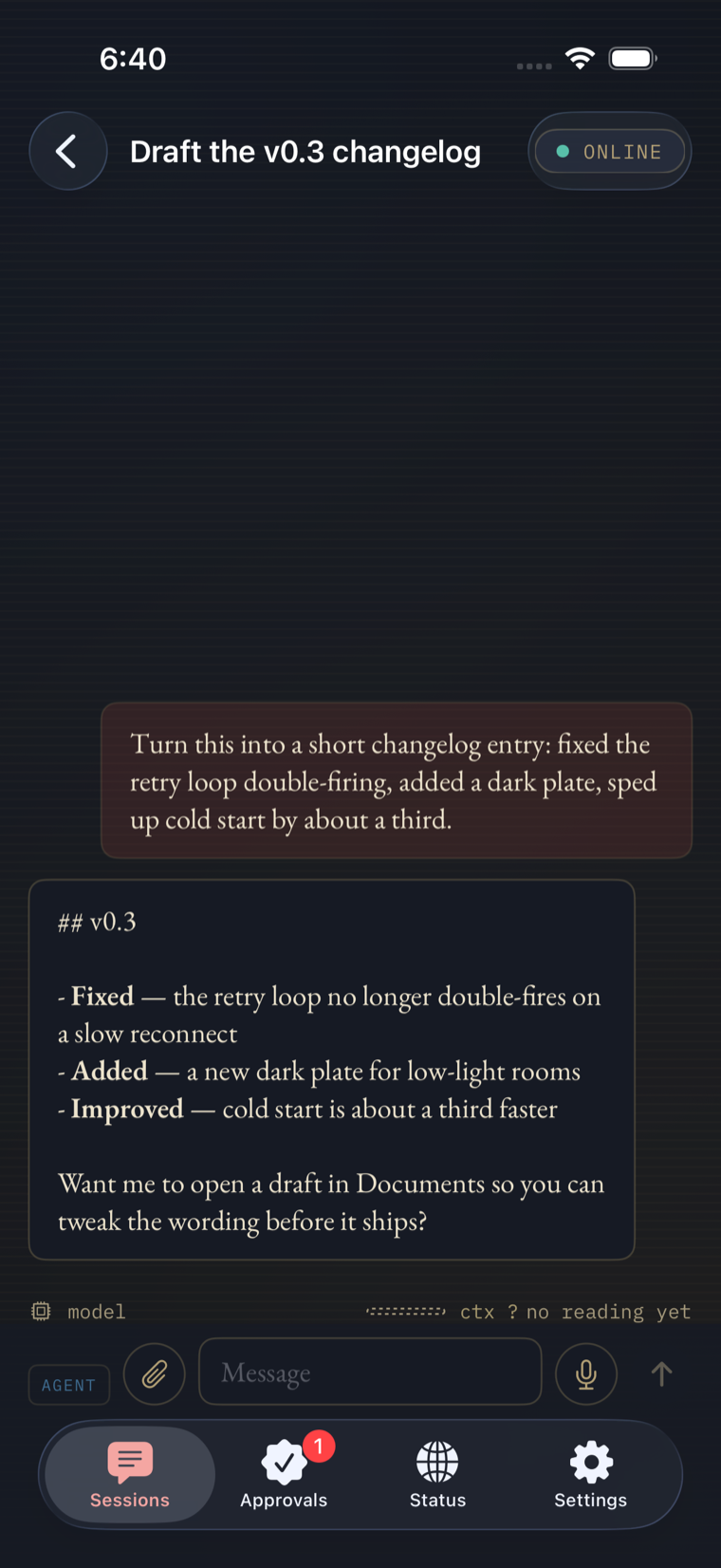
A finished reply — markdown rendering, and an offer to use a tab the phone doesn’t have.
A blocked tool call shows the exact command — here, a pytest run gated before it ships — how long ago it fired, and a countdown to when the request expires. Approve once, deny, or expand “Remember this decision” to grant it going forward; grants land in a Remembered Grants list you can see, and — the empty state says it outright — nothing is remembered until you choose to remember it. The tab badge carries the pending count even while you’re looking at something else.
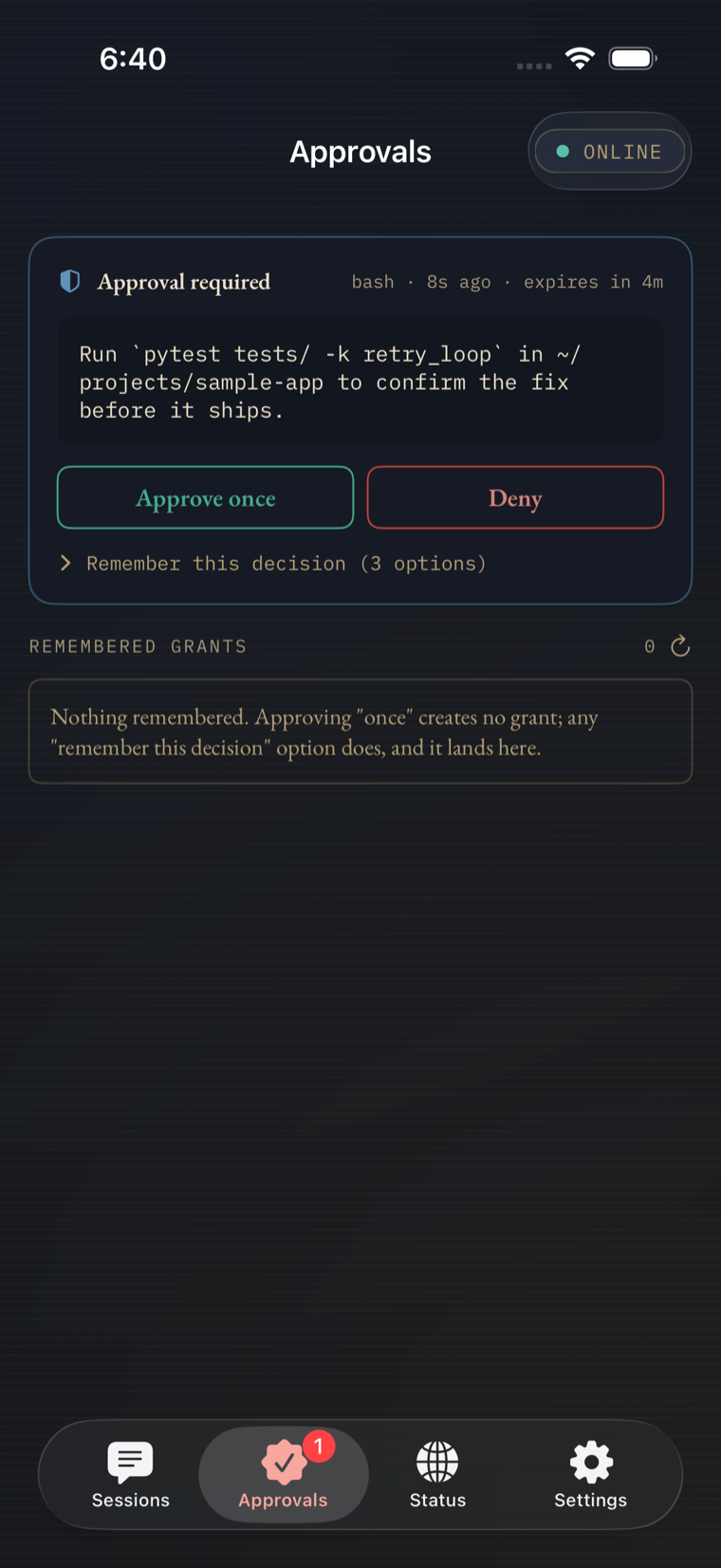
Approval required — the command, an expiry, and a choice.
Status carries the same armillary-sphere visualization from Desktop’s Mission view — the stand is Beacon, the moving rings are live daemon telemetry, and the sphere sits inert the moment nothing is actually happening. Below it, the same discipline Desktop is built on shows up on a four-inch screen.
The capture above reads Couldn’t list background tasks — this is not a statement that none are running, and the same for artifacts. A screen that can’t check something and a screen with nothing to report look identical unless the app is willing to say which one it is. Beacon iOS says which one — on the same screen where a coding run, seed-onion-router · running · 3 rounds, is visibly in progress underneath.
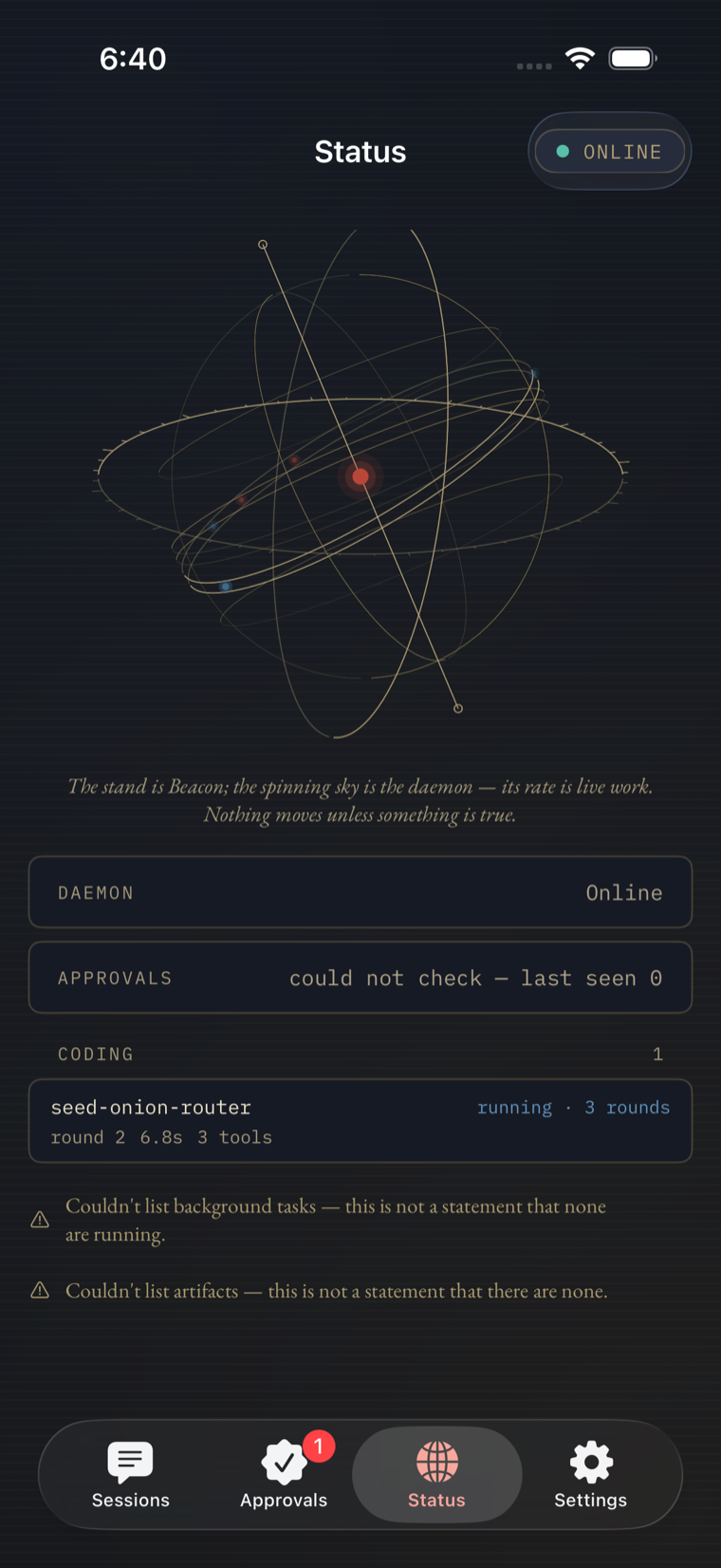
Status — the Armilla, a live coding run, and two lines that refuse to guess.
This isn’t Desktop’s own six-digit daemon setup — it’s a phone joining a daemon Desktop is already paired to. Open Devices on Beacon Desktop, and the phone scans the QR it shows, or — camera unavailable, as in a simulator or a locked-down machine — pastes the beacon://pair link instead. Either way, the phone ends up talking to the same daemon, over the same tailnet, that Desktop already trusts.
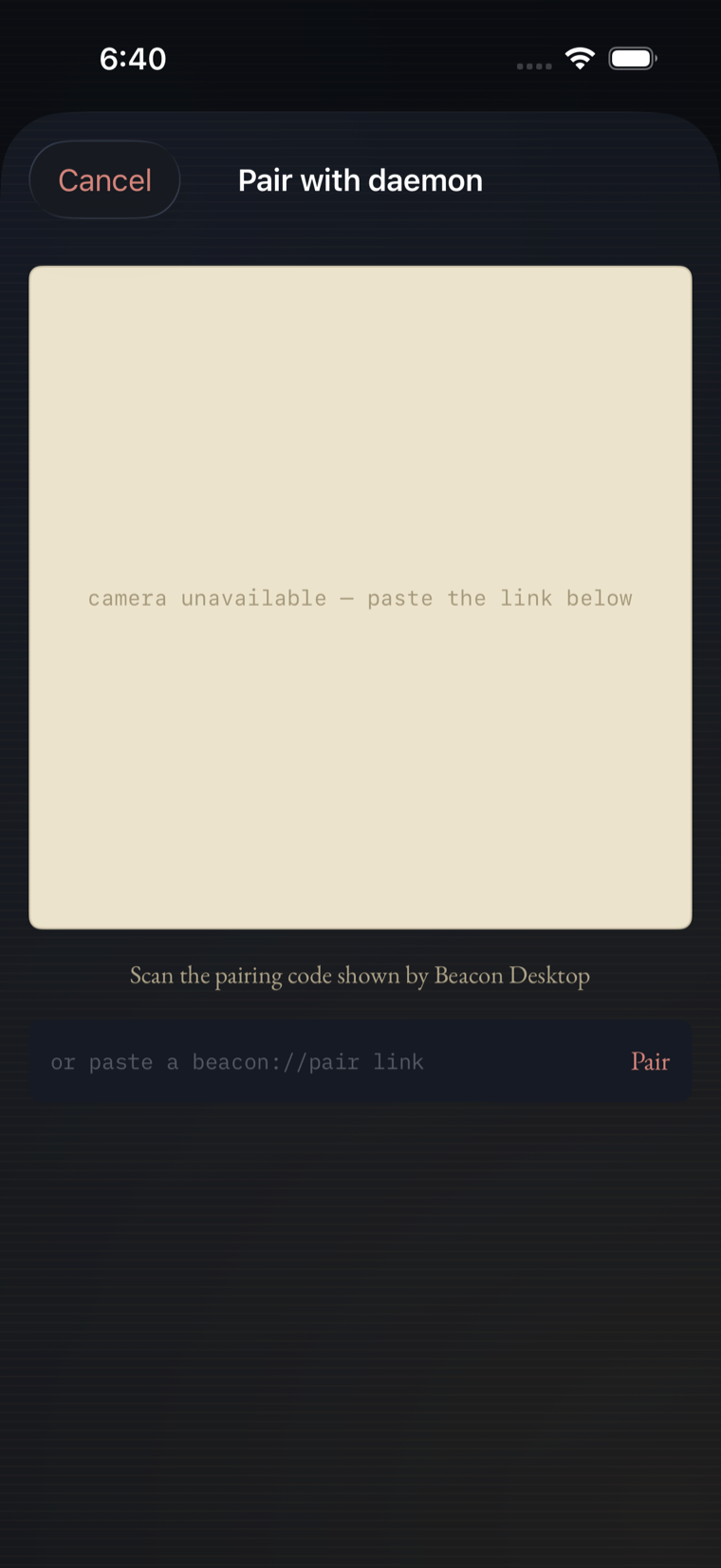
Pair with daemon — scan, or paste the link if there’s no camera.
The things Beacon iOS doesn’t do yet, so you’re not surprised mid-tap:
Opens a request on GitHub. You’ll also want Beacon Desktop already paired to your daemon — iOS joins through it.
The daemon it pairs with is open today — Prometheus.