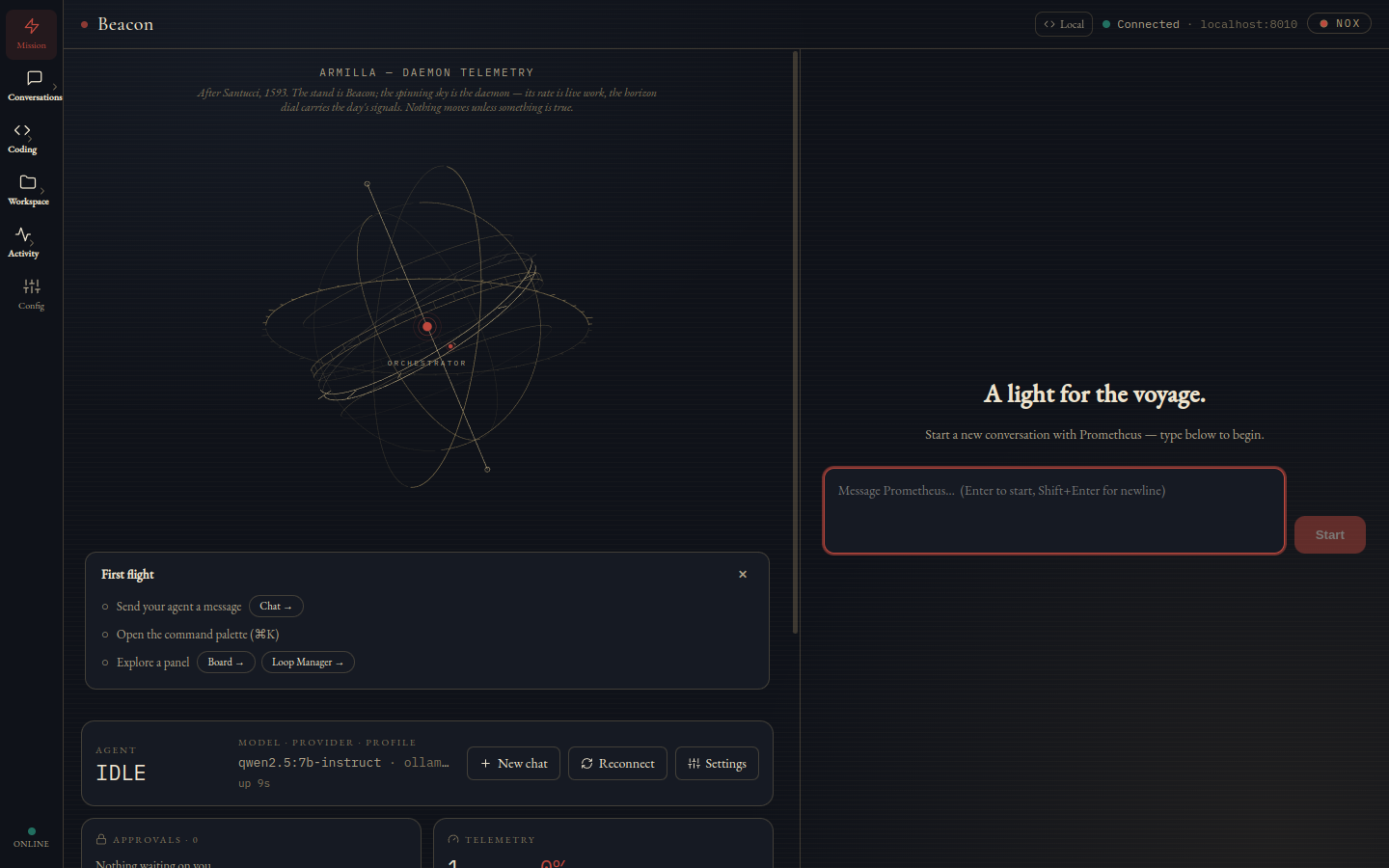
Mission home — the Armilla, Mission Control, and a composer. The default landing view.
The desktop surface of your own AI stack.
A native Electron cockpit for the Prometheus daemon. It bundles no backend and no model keys — pair it with a one-time 6-digit code and it becomes the window into everything the daemon does, on localhost or across your tailnet. Every status it shows is one it can prove.
Status: v0.2 — moves fast alongside the daemon.
The agent harness. Stands alone on your hardware.
The desktop cockpit. Sits on Prometheus.
The cockpit in your pocket. Same daemon, same control plane.
Mission home — the Armilla, Mission Control, and a composer. The default landing view.
Every cockpit eventually faces the same question: is this screen telling me the truth, or is it just still painted? A dashboard that keeps spinning after the thing it watches has died is worse than no dashboard at all — it turns a visible outage into an invisible one. Beacon is built around closing every place that could happen.
On 29 July 2026 the daemon had been restarted fifty-three hours earlier. Beacon had made zero reconnect attempts in that entire window — and had displayed “Connected” the whole time. A half-open socket dies without ever delivering a close event, so nothing ever fired. Replies were being produced on the host and simply never arriving. That bug is now a standing rule: “Connected” can never point at a dead socket.
An agent that runs unattended generates a specific kind of debt: things it cannot finish without you. Those used to be scattered — an approval overlay here, a stalled turn you only notice by rereading a thread, a failed send buried in an outbox counter. Beacon folds all three into a single ranked list, and ranks it by what actually blocks progress.
The composed queue is what Mission Control’s “needs you” card renders. The menu-bar HUD reads the same daemon surfaces for approvals and failed sends, so you can check the count without summoning the window — stalled turns are tracked in the main window and are not mirrored there yet. That gap is deliberate and documented rather than papered over with a number that would look right and be wrong.
Replies stream as markdown while every tool call renders inline — consecutive calls merge into one activity strip with live durations, and parallel dispatches show up as batches. Past six calls the strip collapses to a per-tool tally that keeps running and error states visible, so a long turn stays readable instead of scrolling away. The composer carries a per-session model switcher with auth-mode badges, an Agent | Chat toggle for tools-on or plain replies, and a one-shot 🔍 force-search that arms the next send to open with a real web search.
Replies render as full GitHub-flavoured markdown — tables, task lists, strikethrough — with syntax highlighting and long code blocks collapsed until you want them. Attach files by picker, paste, or drag-drop. Retry or edit your last message without retyping it. And relaunching Beacon reopens the conversation you were last in, rather than dropping you on an empty screen.
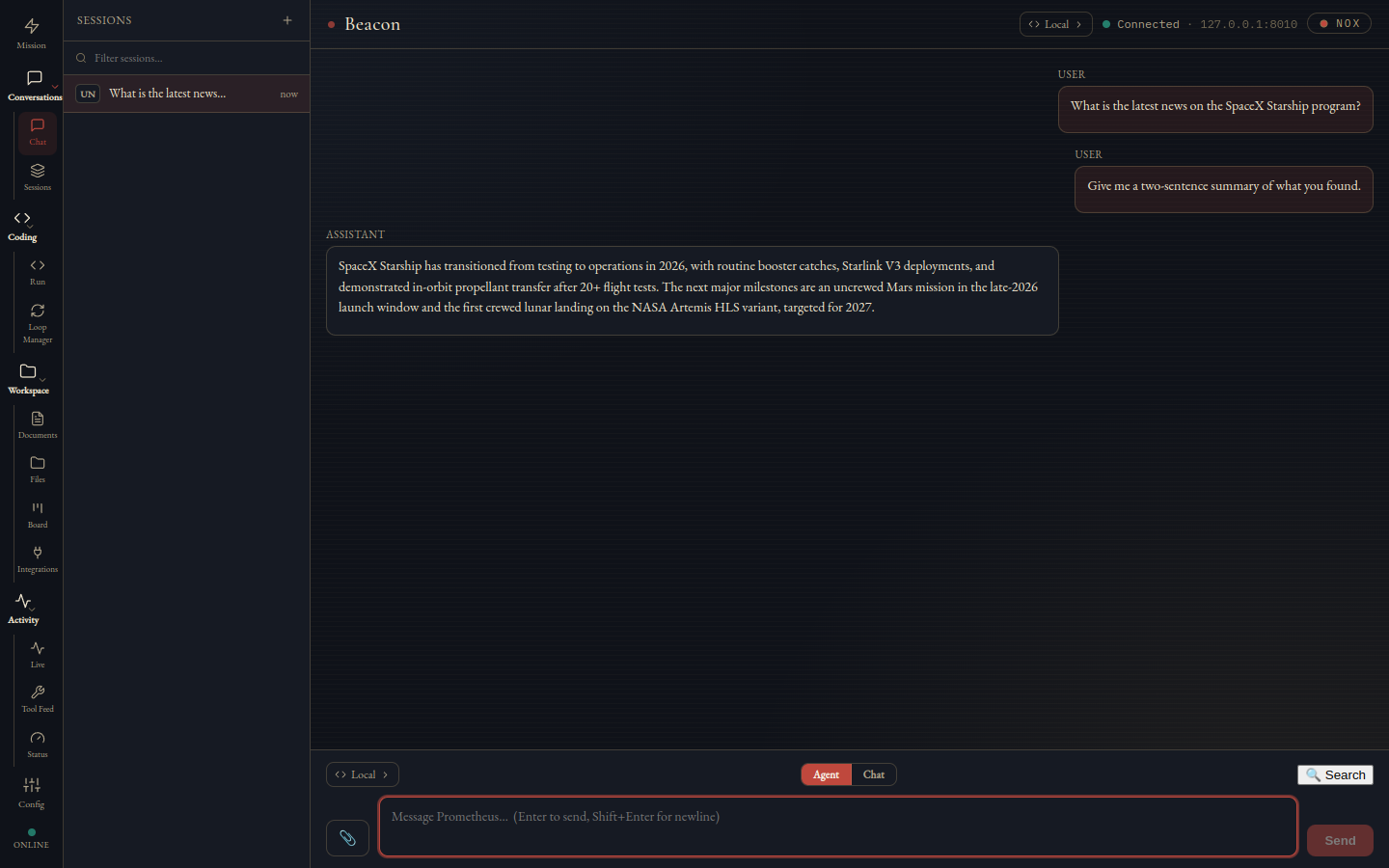
A finished turn — tool timeline above the answer.
On the live box the session list had become unusable: 69 of 127 sessions were benchmark runs, and the source chips beside them were auto-derived as the first two letters of a prefix — VE, RE, TH, ME — four colliding labels that turned out to be one-off verification scripts sitting at equal weight beside real conversations. Now every source carries a readable name (Desktop, Telegram, Voice, Slack), the list groups by calendar day so “Yesterday” means yesterday even at 00:20, and machine runs fold behind a single dashed Automated chip that is excluded from the default view. The audit trail stays one click away; it just stops competing for your attention. Forget removes a session on the daemon, not merely locally — and a forgotten session that speaks again revives rather than staying silently buried. Unread dots ride the daemon's own high-water mark, so a session that moved while Beacon was shut reads as unread the moment you open it. Subagents nest under the session that spawned them instead of flattening into the list.
Fire a sandboxed iterate-to-green run — repo, task, acceptance command, caps — and watch rounds stream live: outcome, tokens, duration, thinking flag, with a Stop button. The terminal state is a verdict: acceptance exit code, branch, and a colorized diff, plus copy-able git commands for reviewing it yourself. The Loop Manager sits above that as a PM cockpit — registered repos, a TASKS.md board, a LOOP.md contract editor, a compiled-run preview. Runs are capped by default at 30 rounds or 1200 seconds of wall time, editable per run, so an agent that isn't converging stops on its own budget rather than yours. You can also point a loop at nothing at all and have it bootstrap a brand-new project from the board.
Beacon never merges and never pushes — and that is not a policy note, it is an assertion in the proof suite. The command builder is checked for the absence of a git merge and a git push, so the promise fails loudly the moment anyone breaks it.
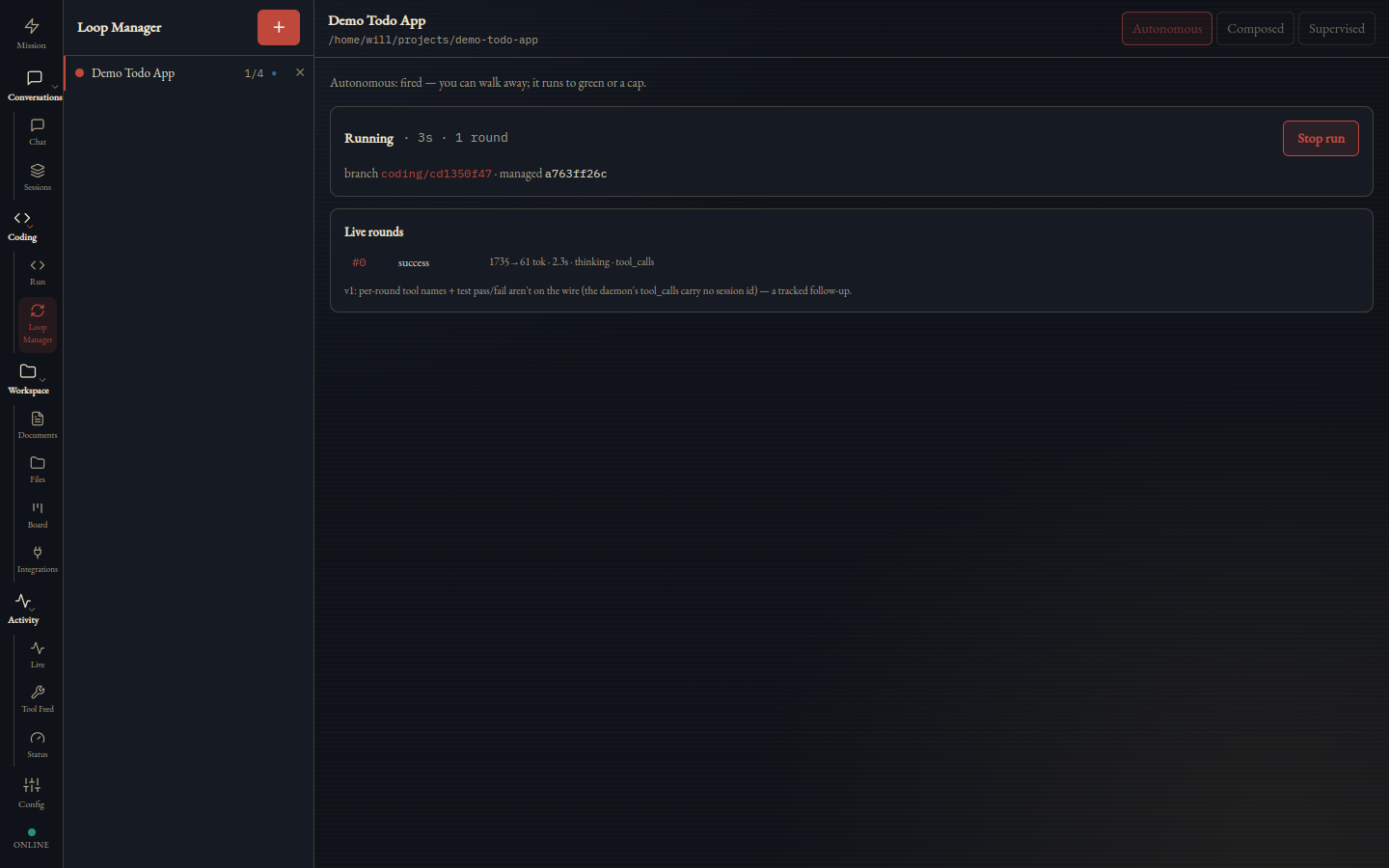
Rounds streaming live.
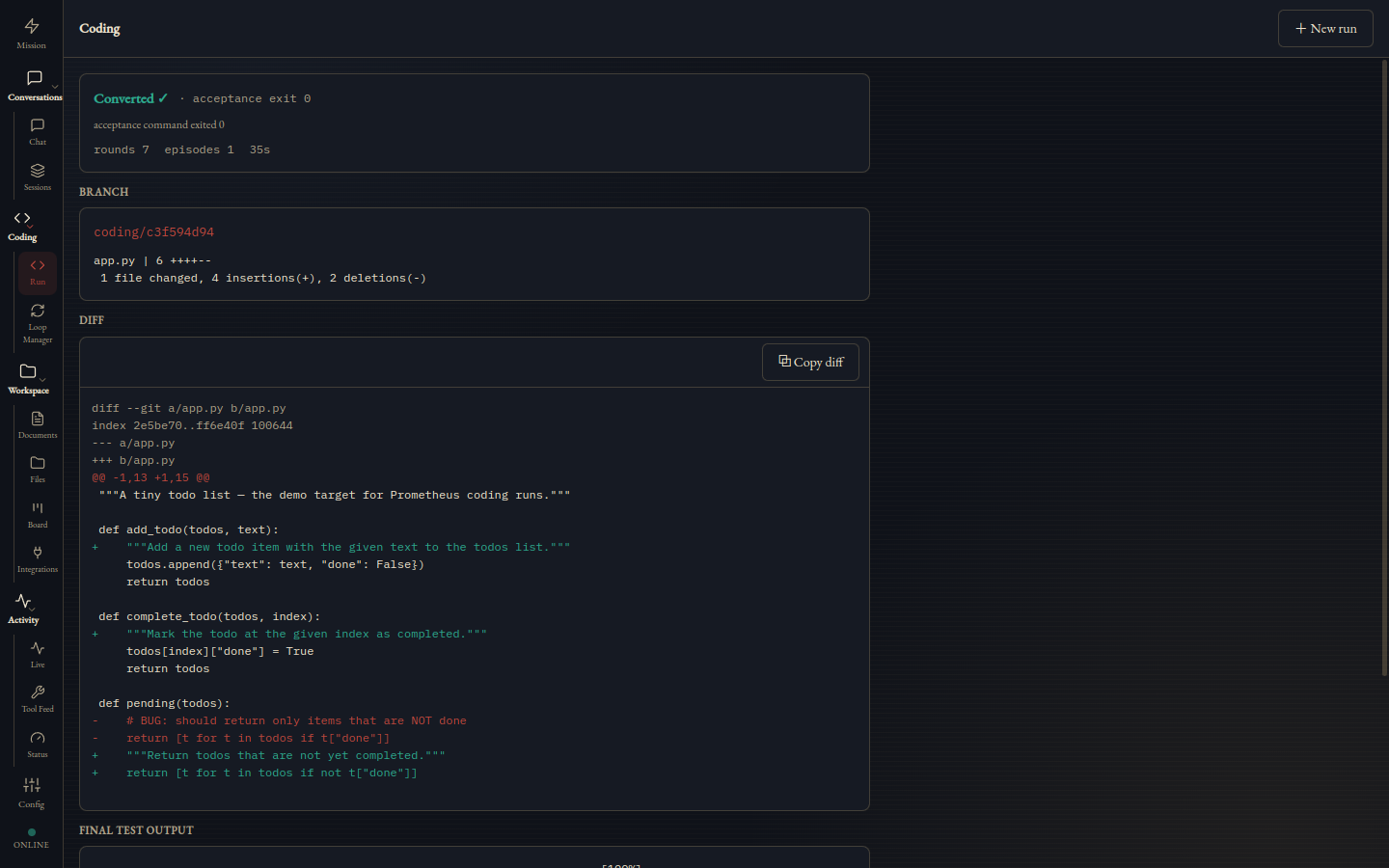
The artifact — iterated to green, yours to merge.
Mission is the landing view, and its centrepiece is the Armilla — an armillary sphere after Antonio Santucci's, built in Florence in 1593. The stand is static and represents Beacon itself; the nested great circles move on live daemon telemetry, and armed scheduled jobs park on the horizon dial as diamonds at the hour they will fire. It is an instrument, not an ornament: nothing on it moves unless something real is happening.
Around it: agent state and uptime, how many of your configured models are actually reachable (N/M ready), a telemetry headline and task ticker. Status is the read-only instrument panel behind that — agent status, a context inspector for the live session's window, the Sentinel dream log, and the daemon's profiles, all on a four-second poll. Live streams every gateway frame with filter, search and export, and a pause that freezes the rendered snapshot so a busy agent can't scroll what you're reading off the screen. Tool Feed aggregates calls across sessions with success stats.
Config → Cron is a scheduler, not a viewer: create a job from a name, a schedule and a command; run it now fire-and-forget; enable, disable or delete it. The expression is sanity-checked as you type and fully validated by the daemon, and every write re-reads the daemon's list rather than trusting the local copy. The Board is a daemon-backed Kanban whose stories dispatch straight into coding runs. Integrations is deliberately generic — every control renders from a manifest and its wire schema, with no integration-specific code in Beacon, so a new one needs no new release.
A calm writing surface over the daemon's documents folder. Type an instruction — "tighten the intro" — and proposed edits come back as inline tracked-changes, each with its own Accept/Reject plus an Accept all. Nothing touches disk until you accept.
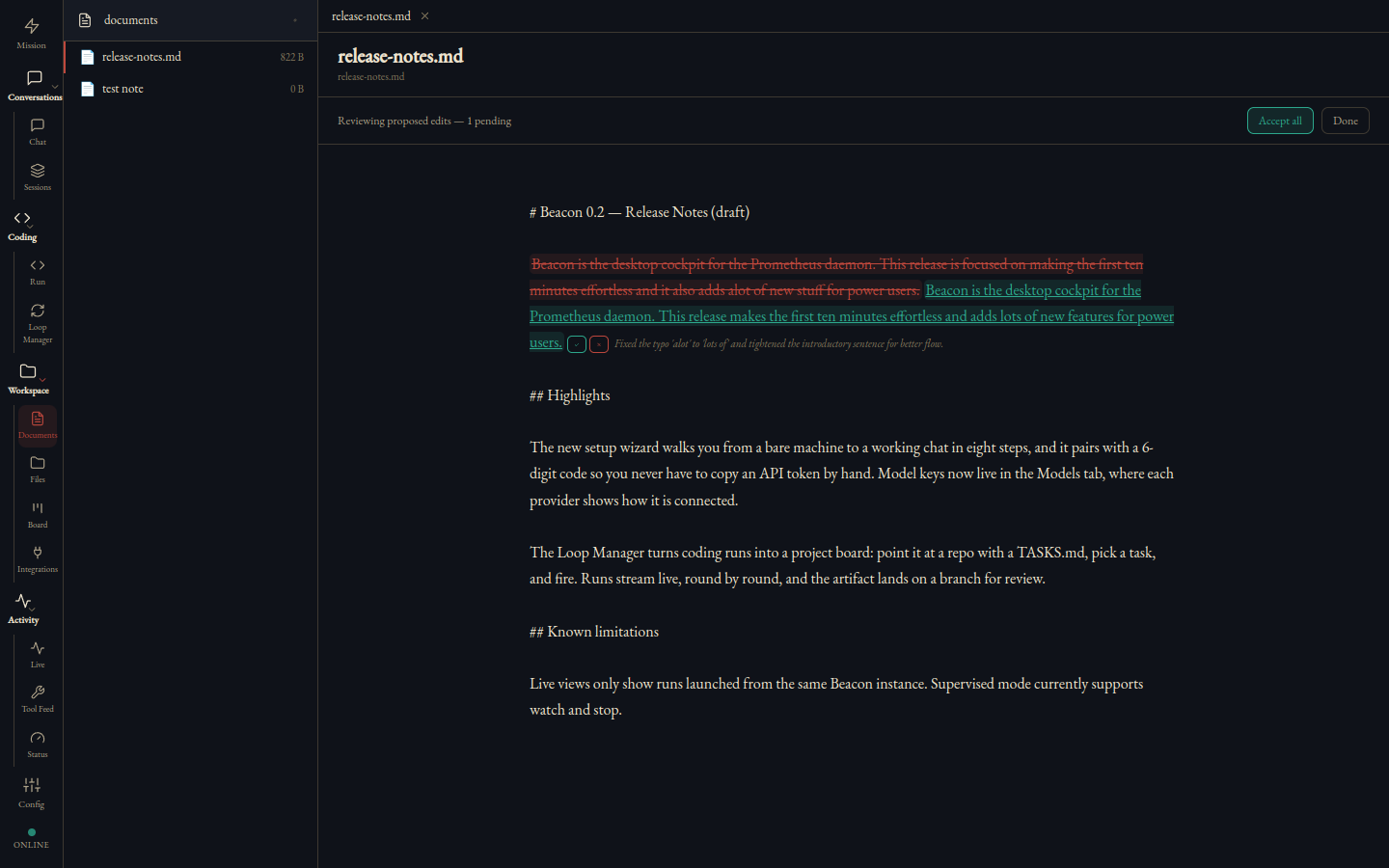
Redlines pending — accepting is what applies them.
Paste a provider key once — it saves to the daemon, takes effect immediately, and is never shown again. Auth-mode badges say whether a provider runs on an API key or a subscription, and "Sign in with SuperGrok" is a full OAuth device-code flow for xAI — your subscription powers it, no key at all.
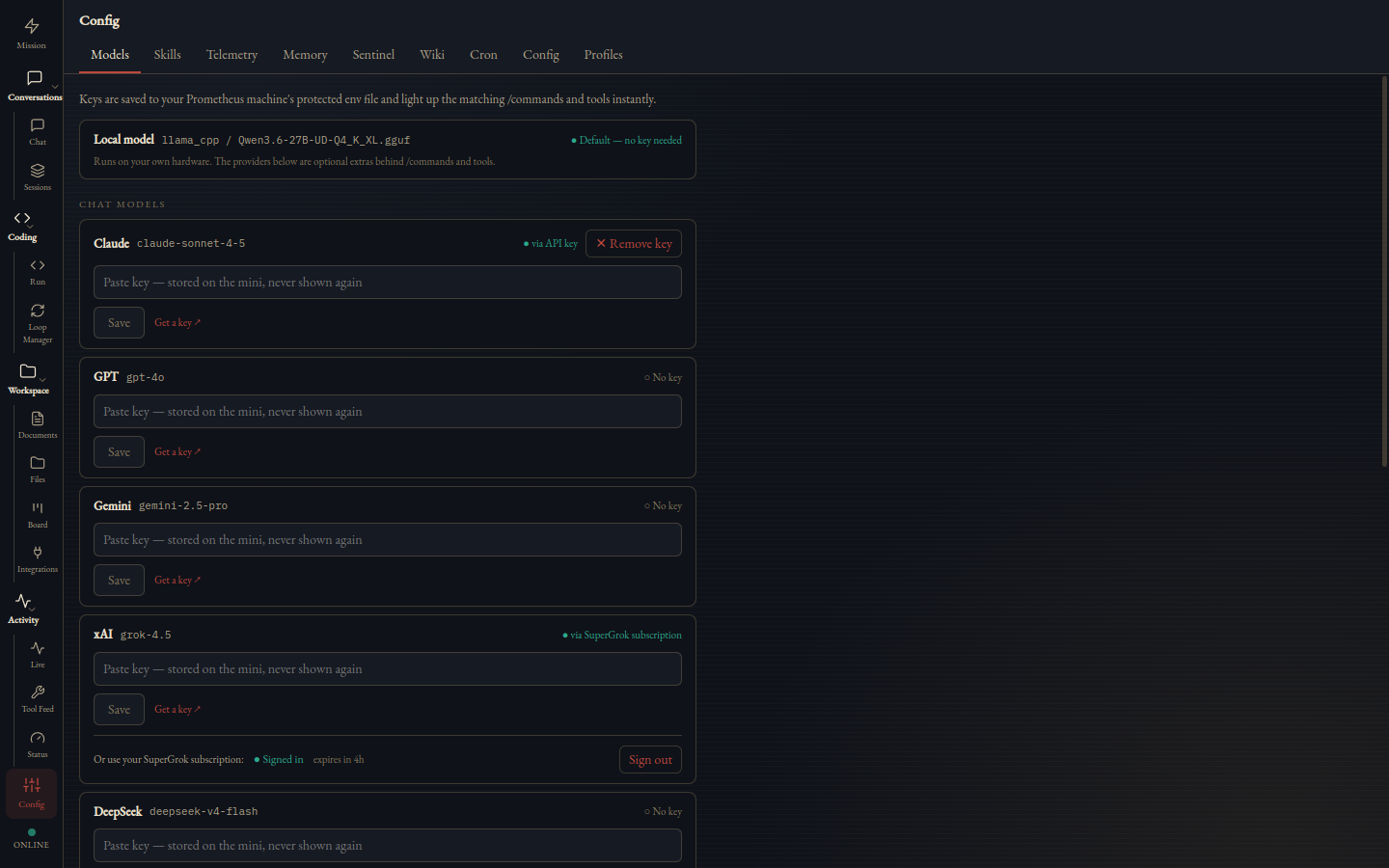
The Models tab — paste-once keys and SuperGrok sign-in.
The agent’s MEMORY.md and USER.md are editable in place, with a live character meter against the daemon’s budget. The interesting part is the conflict: if the agent wrote to memory while you were typing, your save is rejected rather than applied, and comes back carrying the current truth so your draft rebases on top of it. A stale save can never clobber what the agent learned in the meantime — and the daemon snapshots the previous content before every write, so there is history behind each edit.
Eight named theme plates — NOX, LVX, AVRVM, VMBRA, AERVGO, CAERVLA, RVBEDO, AETHER — each a complete design-token set with a live preview tile. Your pick persists across launches.
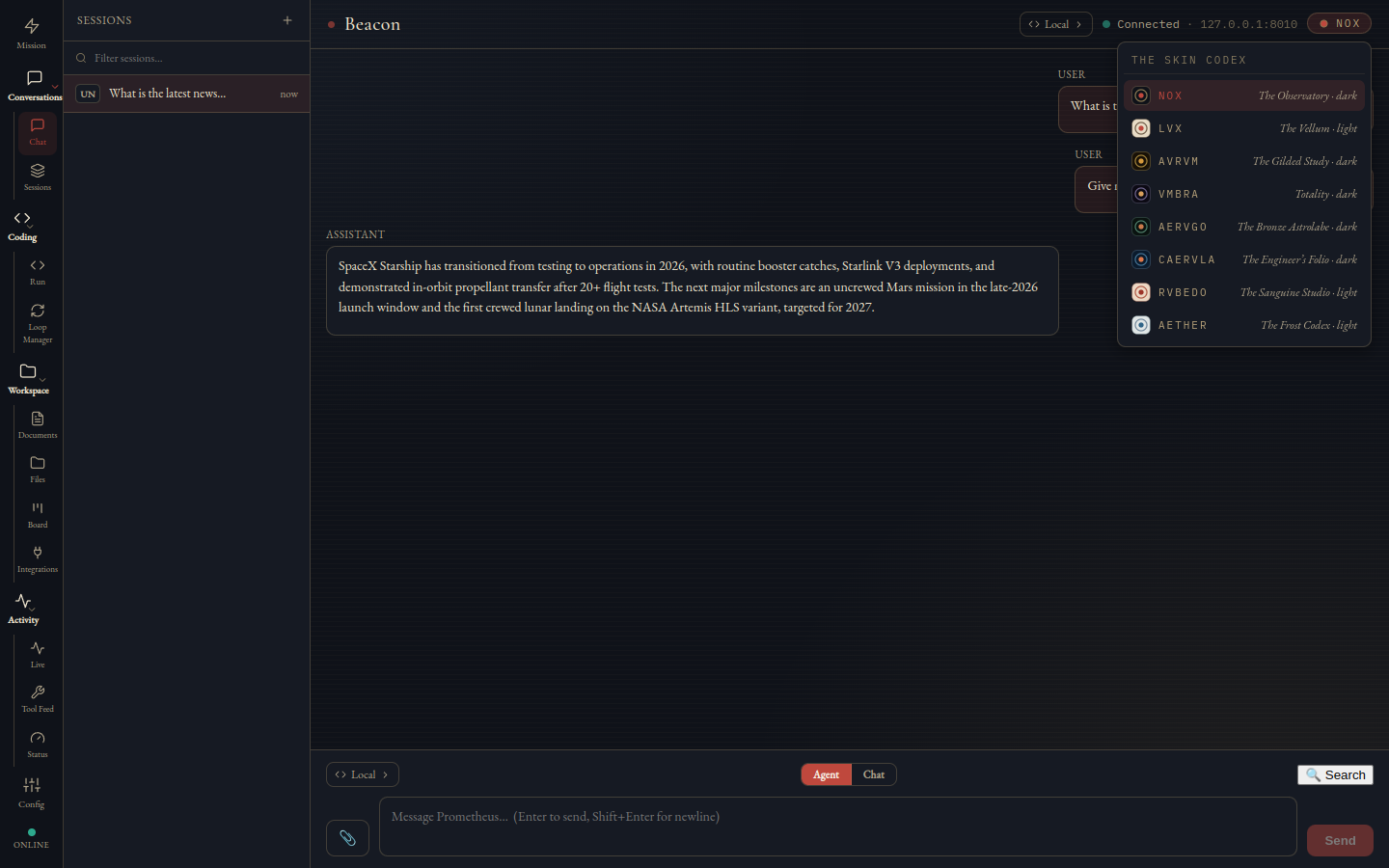
The Skin Codex.
Desktop clients get a reputation for being the soft layer — the place where correctness goes to become a rendering detail. Beacon is written the other way round: the parts that decide what you see are pure, and they are proved.
Boot the daemon bare and it starts in setup mode, printing a one-time pairing line: an address and six digits. Type them into Beacon and the wizard takes it from there — connect, model detection, identity, gateways, apply and wake, then a smoke test that runs one real chat round-trip before it lets you in. Nothing is saved until Test has actually probed both the REST endpoint and the WebSocket handshake with the values you typed, and it reports them as two separate results rather than one hopeful green light.
The daemon does not have to be the machine you are sitting at. Beacon talks to it the same way across a tailnet as it does on localhost, so the host can stay in the study, under load, plugged in — and the cockpit can be a laptop on the sofa.
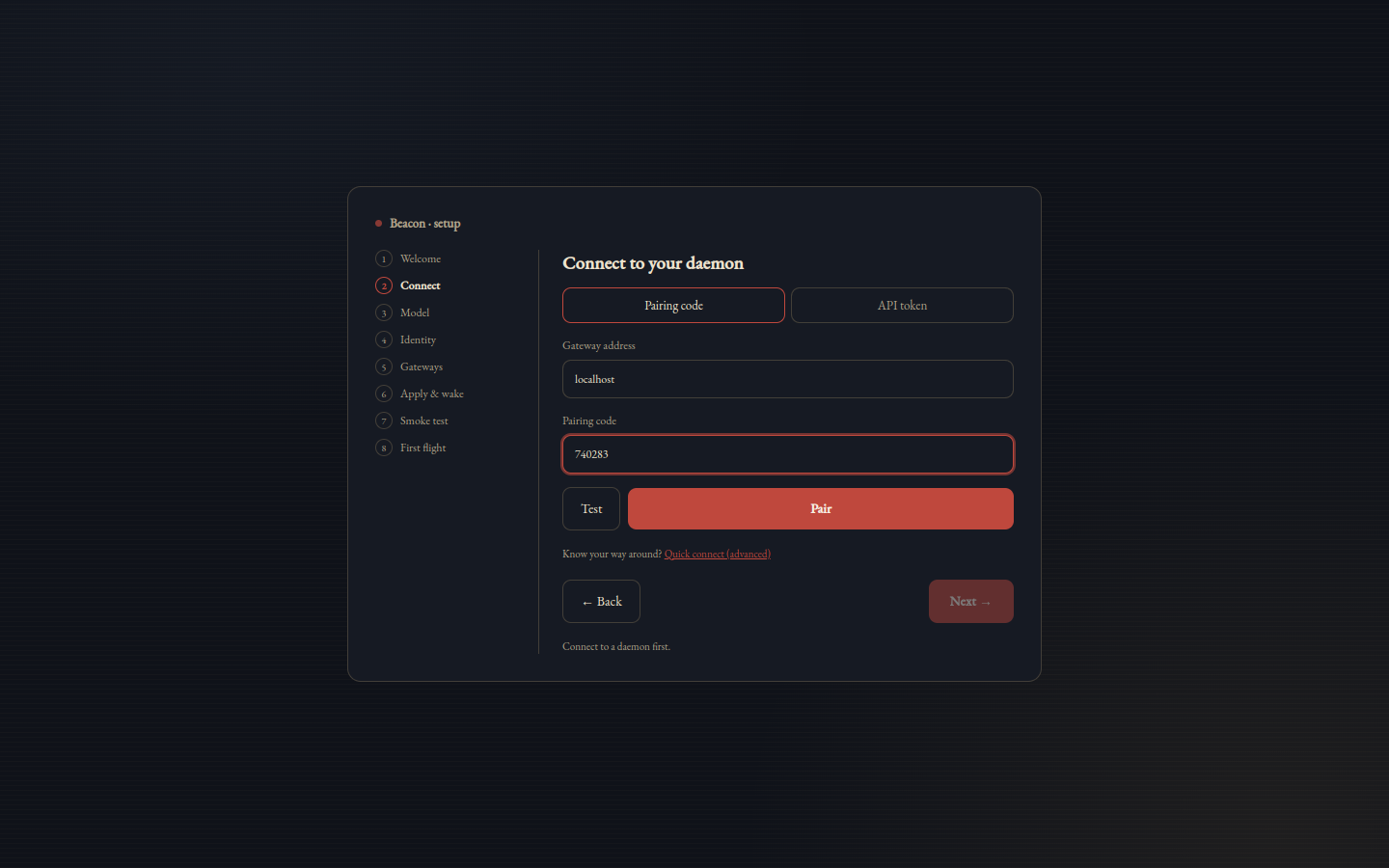
The wizard's connect step — six digits and you're paired.
Thirteen views in a grouped nav rail, with the connection state pinned to its foot so it is visible from every one of them — not just from Chat. In the menu bar, the Pulse mark is a Retina template icon that recolors itself for a light or dark bar, carries a live status tooltip, and opens a HUD with connection, daemon uptime, what needs you, and the last gateway event — all without summoning the window.
The Beacon repo is private while it hardens. Public builds — a macOS dmg and a Linux AppImage/deb — arrive with the public release. Until then, Beacon ships to early users from draft releases.
Public builds — coming with the public release.
Follow along at oara.ai or github.com/OAraLabs. The daemon it pairs with is open today — Prometheus.
The things Beacon does not do yet, so you're not surprised mid-task: